Merchant App Simple way to receive payment from your customers, TIER Biz
All you need is a cell phone to use TIER Biz!
TIER Biz consist of everything you need for running your business,
from payment to settlement, and in addition to this,
you can receive tip, manage your employees, and many more to come!
Sign up is totally FREE,
NO, installation cost,
NO, unnecessary extra costs


- Reasonable Pricing Pay only for what you use, and no unnecessary extra costs.
-
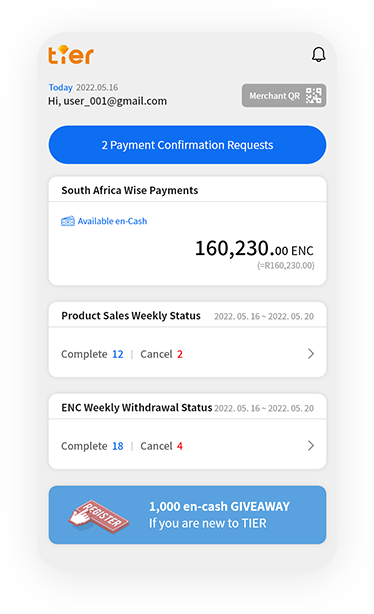
Mobile QR Payment
Just with your cell phone, you can receive payment
any time any where. -
Management System
Request for settlement of what you sold,
manage your employee status, receive tips,
and many more to come. - Cash-Out Agency Service (To-Be) Special agency service just for verified merchants where verified merchants can provide cash-out to TIER users.
Merchant Registration Process Flow
- Step 1
- Sign up as merchant and create TIER BIZ account
- Step 2
- Enter basic information and legal documents of your business
- Step 3
- After reviewed by TIER legal team you will receive accept/decline of being TIER merchant
- Step 4
- Run your business as TIER Biz Merchant
Receiving QR Payment Methods & Process Flow
- Method 1
-
- SELLER Show QR Code to the Buyer for scan
-
BUYER
Sign into TIER and click
‘PAY’ button to scan QR Code -
Access into payment page
(Double check merchant info) - Enter payment amount & tip (optional)
- Enter preset 6-digits PIN
- Request for payment confirmation
- SELLER Accept payment
- Method 2
-
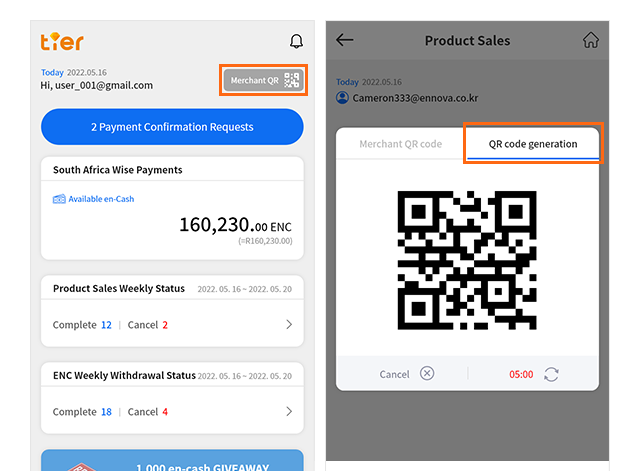
- SELLER Generate QR Code
- Enter payment amount
- Show generated QR Code
- BUYER Sign into TIER and click ‘PAY’ button to scan QR Code
-
Access into payment page
(Double check merchant info & payment amount)) - Enter preset 6-digits PIN
- Request for payment confirmation
- SELLER Accept payment
Merchant Management Features & Additional Services
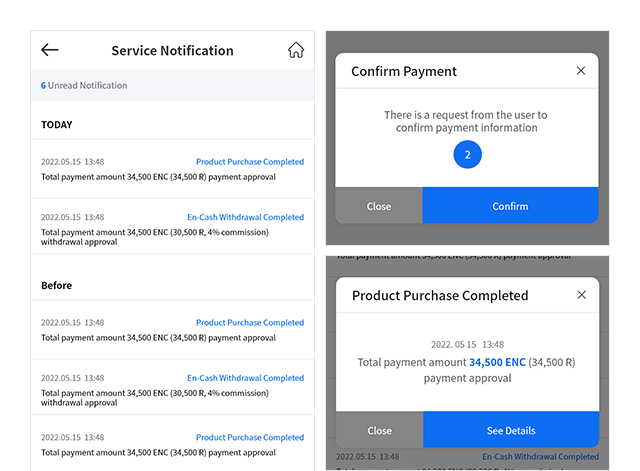
- Important notification service
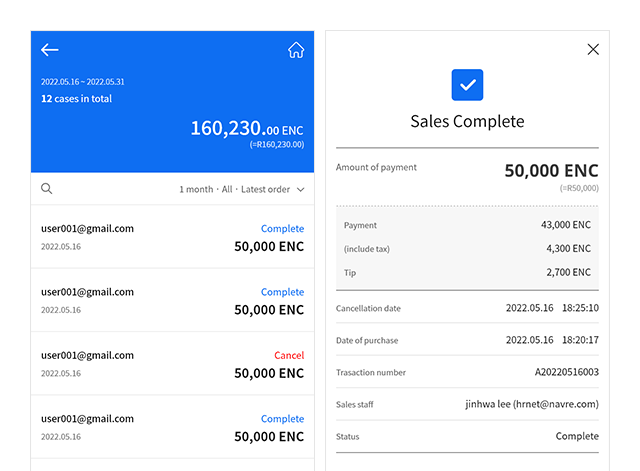
- Sales history management
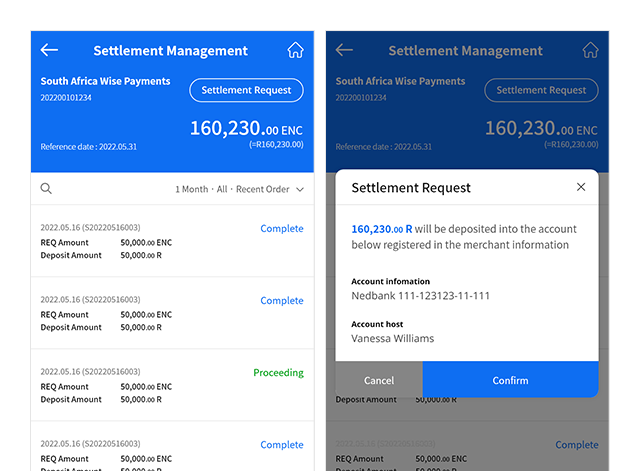
- Settlement management
- Employee registration and management
- Manage sales history by employee
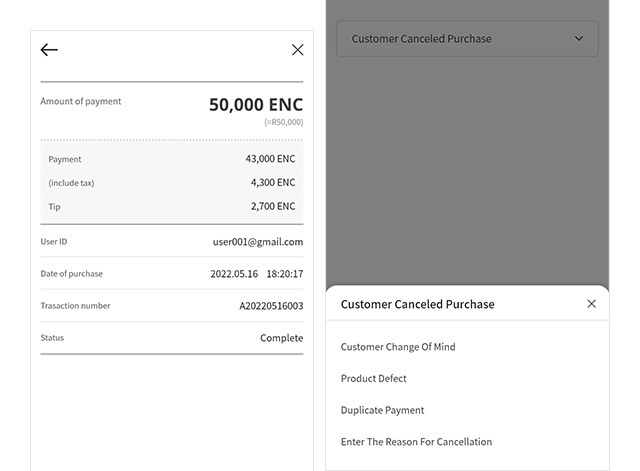
- Payment cancellation
- Product registration and management
(to-be) - Stock management
(to-be) - Send payment link function
(to-be)
- Show Merchant QR Code (Generate QR Code)
- Important Notification
- Transaction(Payment) History
- Payment Confirmation and Cancellation
- Settlement Management
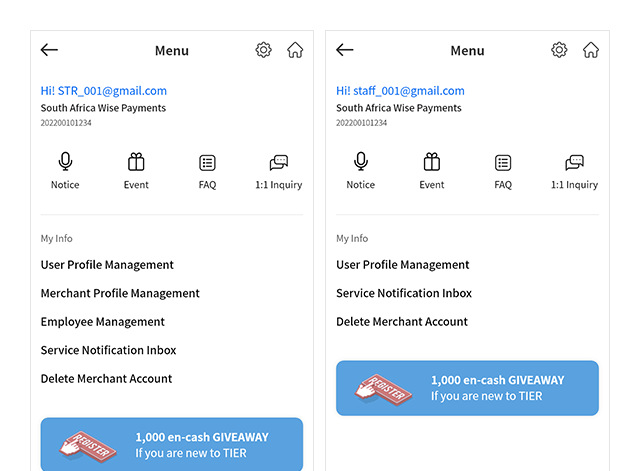
- Merchant Information Management